
Blogs

Blog title place here
We understand that every federal employee's situation is unique. Our solutions are designed to fit your specific needs.

Blog title place here
We understand that every federal employee's situation is unique. Our solutions are designed to fit your specific needs.

Blog title place here
We understand that every federal employee's situation is unique. Our solutions are designed to fit your specific needs.
SF 2818 Fillable Guide How to Complete and File Correctly
You're close to retirement, your HR packet has arrived, and one form is asking you to make decisions about life insurance that may follow you into retirement. SF 2818 is not just a fillable document. It records your FEGLI continuation elections, including how Basic insurance and optional coverage will change after retirement.
The safest approach is to start with the official PDF, read the instructions before entering information, make a deliberate election for every applicable coverage type, and confirm how your employing office wants the signed page returned. This guide focuses on the practical details that generic form-filling pages often leave out.
What SF 2818 Does and Who Must File It
You are preparing for retirement when SF 2818 arrives with a decision that can affect life insurance for years. SF 2818 is the Office of Personnel Management form federal employees use when retiring or beginning to receive compensation to decide whether to continue FEGLI coverage in retirement. It applies to an employee enrolled in FEGLI who is retiring or receiving workers' compensation and is eligible to continue coverage.
The form records separate elections for Basic insurance, Option A, Option B, and Option C. You must select and sign for each coverage type that applies to you. The form does not confirm your current enrollment. It records what you want to continue and, for some choices, how coverage may change after age 65.
If the FEGLI terms are unfamiliar, read this complete guide to federal life insurance before completing the form. The distinction matters because your active-employee coverage and your retirement election are related, but they are not the same decision.
When SF 2818 enters the retirement process
OPM's FEGLI Handbook states that an employee who applies for retirement and is eligible to continue Basic insurance receives an SF 2818 from OPM. If the employee wants a Basic insurance reduction other than the default 75 Percent Reduction, the form must be returned within 60 days. Read the instructions that accompany the form, including the directions for returning the completed election.
Treat that deadline as part of the retirement workflow. First identify the coverage you have, then review each continuation choice, sign the applicable election, and return the required page through the channel provided by your employing office. A completed PDF is not submitted until the signed page reaches the office handling your retirement paperwork.
Why each election deserves attention
Basic insurance and the optional choices can reduce or change after age 65. Your selections can also affect future premiums and the amount of protection available to survivors. A blank line may leave the office unable to determine whether you declined coverage, intended a reduction, or missed the field.
Practical rule: Treat every election line as an intentional choice. Check the coverage name, reduction choice, signature, and date before submitting the form.
OPM instructs employees to complete the form, keep the first three pages for their records, and return the completed last page to the employing office. Keep a full copy of the signed submission and any delivery confirmation. That record helps resolve questions about what you elected and when the office received it.
Where to Get the Official SF 2818 Fillable PDF
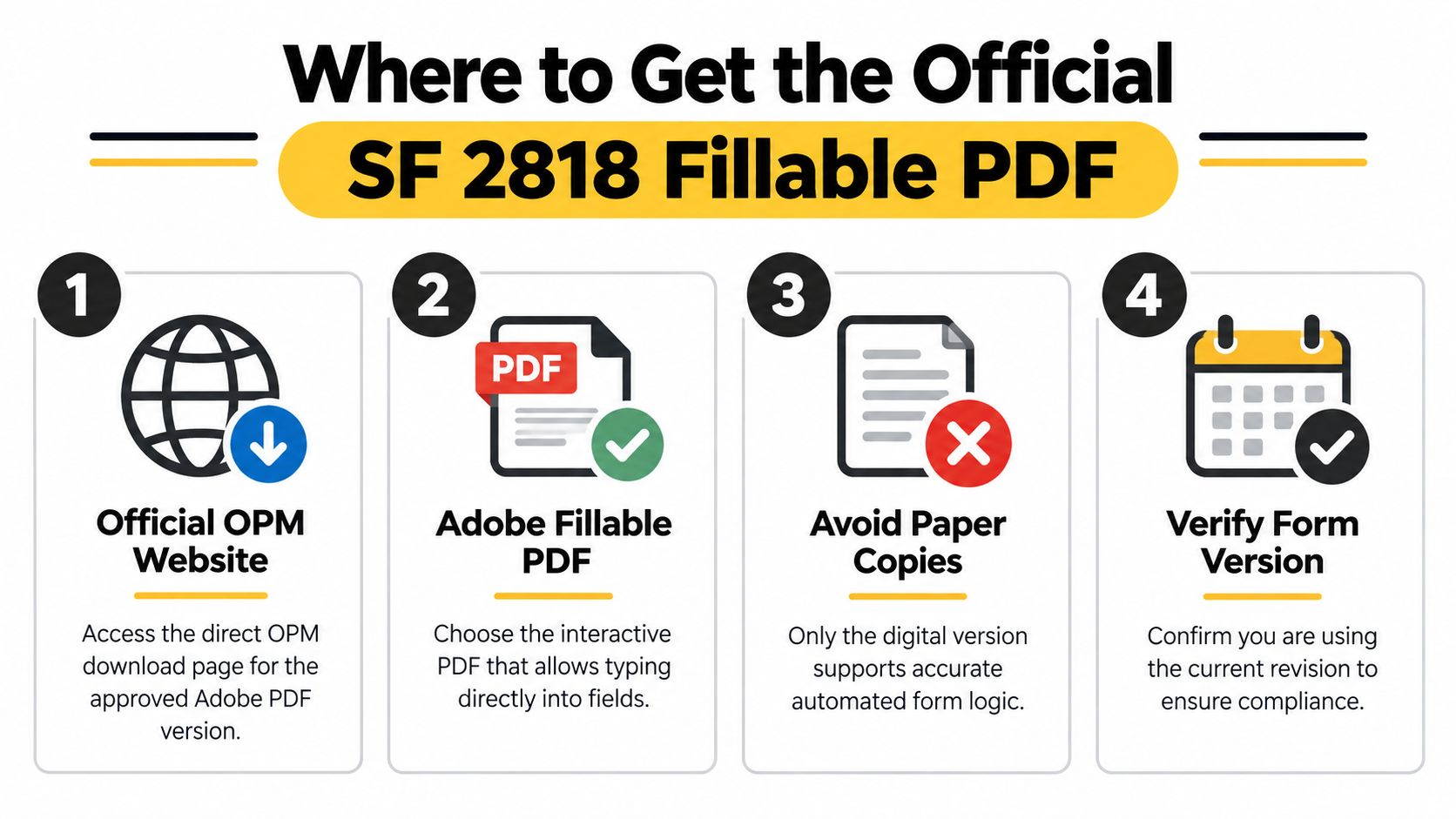
A retirement packet can look complete while containing the wrong SF 2818 file. Start with OPM's downloadable Adobe PDF. OPM states that paper copies are not available, the downloadable Adobe version must be used, and earlier versions are not usable. A webpage that reproduces the form, an unofficial scanned copy, or a file saved by a coworker may therefore fail the submission requirements.
Get the official OPM SF 2818 fillable PDF, save it to your computer, and open it with Adobe Acrobat or Adobe Acrobat Reader. A browser viewer may hide fields, alter the layout, or fail to save your entries. Treat the PDF like the controlled working copy for your election, not like an ordinary web form.
Use the PDF as a controlled working copy
Save the untouched download first, then create a separate working copy. A name such as SF2818-blank.pdf preserves the original, while a completed file with your name helps you identify the version you reviewed and signed.
Before typing personal information, check the file itself:
- The file opens in Adobe Acrobat: Interactive fields should appear instead of a flat image.
- The fields accept typed entries: Test a non-sensitive field, then delete the test.
- The document saves correctly: Close and reopen it to confirm that entries remain.
- The instructions are included: Keep the first three pages available while completing the final page.
- The form comes from an official source: Avoid file-sharing sites and unofficial “fillable form” pages.
General PDF tools can explain how interactive documents work. This digital form creation guide offers that background, but it does not replace OPM's file or your employing office's submission instructions.
Why version control matters
Use the current downloadable form identified in OPM's materials. The GSA forms catalog also lists SF2818 as current in 2026. For help working with federal benefits resources, review OPM's federal employee benefits website guidance, while keeping the official OPM PDF as your starting point.
Do not print a blank copy and handwrite it unless your employing office gives written instructions allowing that method. The digital Adobe version should remain your primary document. Save the completed file before signing, and keep the original download separate in case an entry needs correction.
How to Complete Every Field on SF 2818 Without Errors
A single wrong character can send a retirement election back for correction. Treat SF 2818 like a form that must match two records at once: your personnel file and your FEGLI enrollment. Open the official PDF, read the first three pages before entering information, and keep those instructions beside you. They explain the elections and completion requirements. The completed last page is the portion OPM says you return to your employing office.

Start with identity and employment details
Enter your name exactly as it appears in your official retirement and personnel records. Match the record's middle initial, suffix, and name order. Do not substitute a nickname or shortened version.
Then inspect each identifying entry character by character. A benefits specialist or HR office may compare the form with your personnel file, retirement application, or compensation record. An incorrect name, agency detail, or other identifying field can delay review even when your insurance elections are clear.
Complete the retirement or compensation information from the agency or retirement office. Do not guess an annuity type, agency code, separation date, or compensation category. If any item is unclear, ask your benefits office to confirm it before you sign.
Handle each coverage type separately
SF 2818 contains separate decisions, not one overall yes-or-no answer. You must review and sign for each applicable coverage type, including the reduction election and the multiples for Option B and Option C.
Use this field-by-field sequence:
- Basic insurance: Select the Basic continuation or reduction choice shown on the form. If you want an election other than the default 75 Percent Reduction, mark that choice clearly and respond within the required period.
- Option A: Review the available continuation or reduction choice for Standard insurance, then select the applicable entry.
- Option B: Confirm whether you are continuing Option B and verify the number of multiples recorded. If Option B applies, do not leave the multiples field blank.
- Option C: Review the family-coverage decision and confirm the number of multiples selected.
- Sign each required section: A signature in one area may not complete every separate election. Follow the signature directions for each coverage type.
Compare the completed PDF with your current FEGLI enrollment information before signing. This works like reading a copied address against the original: compare each field rather than relying on an overall impression. For practical methods that reduce mistyped or missing entries, see this guide to data entry error reduction.
Review before you sign
Check your name, dates, agency information, coverage selections, reduction choices, and multiples. Confirm that every required field has a response and that the selections do not conflict.
This video provides additional visual context for working with the form:
Save the completed PDF before signing. If your agency permits an electronic signature, follow its instructions for signing, printing, exporting, or submitting the signed page. A visible signature does not by itself confirm that the employing office accepts that submission method. Retain the full completed file, including the instructions and any signed pages, for your records.
Before signing: Read the reduction descriptions again. Your choices for Basic, Option A, Option B, and Option C should match the coverage you want, rather than the first available box.
Understanding Your FEGLI Continuation Choices and Reductions
At retirement, an employee may assume FEGLI will continue as it is. SF 2818 requires a separate decision for each coverage component, and each choice can affect coverage after age 65 and the premiums you pay. Basic insurance, Option A, Option B, and Option C should be reviewed as separate parts of the form.
The form is a decision record, not just a request to keep insurance. The coverage level you select becomes the instruction used to apply the applicable continuation or reduction rules.
FEGLI continuation elections at retirement
| Coverage Type | Election Options | What Happens After 65 | Premium Impact |
|---|---|---|---|
| Basic insurance | Select the applicable Basic continuation or reduction election, including an election other than the default 75 Percent Reduction when desired | Coverage follows the reduction choice recorded on SF 2818 | The selected level affects the coverage retained and the premiums associated with that election |
| Option A | Select the applicable continuation or reduction choice | Option A follows the election and reduction rules stated in the form instructions | Your selection affects the amount of optional coverage and related premiums |
| Option B | Select the continuation or reduction choice and identify the number of multiples | The selected multiples determine how the coverage is handled under the applicable reduction election | More retained multiples generally mean more coverage to pay for, so review the premium effect before signing |
| Option C | Select the continuation or reduction choice and identify the number of multiples | The selected family coverage multiples follow the applicable post-retirement rules | The number of multiples affects both available family coverage and the related premium obligation |
Basic insurance requires special attention
The 75 Percent Reduction is the default Basic insurance outcome under the OPM instructions if you do not elect another permitted reduction. To choose a different result, make that election and return the form within the stated 60-day period described in the official OPM materials.
A blank or incomplete choice does not mean “keep the same coverage.” Read the wording beside each Basic option and mark the result you want. This is similar to selecting a route on a map: leaving the destination unmarked does not tell the system where you intend to go.
Optional coverage needs its own review
Option A, Option B, and Option C have different purposes and cannot be treated as interchangeable. Option B and Option C also require the number of multiples, so confirming that number is part of the coverage decision.
Use these questions before signing:
- Can I afford the retained level? More coverage can provide greater protection, while also creating a larger premium obligation.
- What would a reduction mean for my household? Lower future costs may come with less insurance for survivors.
- Have I reviewed family coverage separately? Option C applies to family coverage. A choice that fits your personal needs may not fit your household's needs.
- Did I sign each applicable election? OPM says the employee must choose and sign for each applicable type of coverage.
Premiums after age 65 depend on the election and the applicable reduction rules. Do not compare choices only by the amount of coverage shown today. Review how the selected Basic and optional coverage choices will be handled later, then consider your retirement income, health coverage, savings, and survivor needs.
For broader context, read this federal employee life insurance after retirement guide before finalizing a choice. Use it to support your review, while relying on the form instructions and your benefits office for the election that applies to your record.
How to Submit SF 2818 and Track Your Election
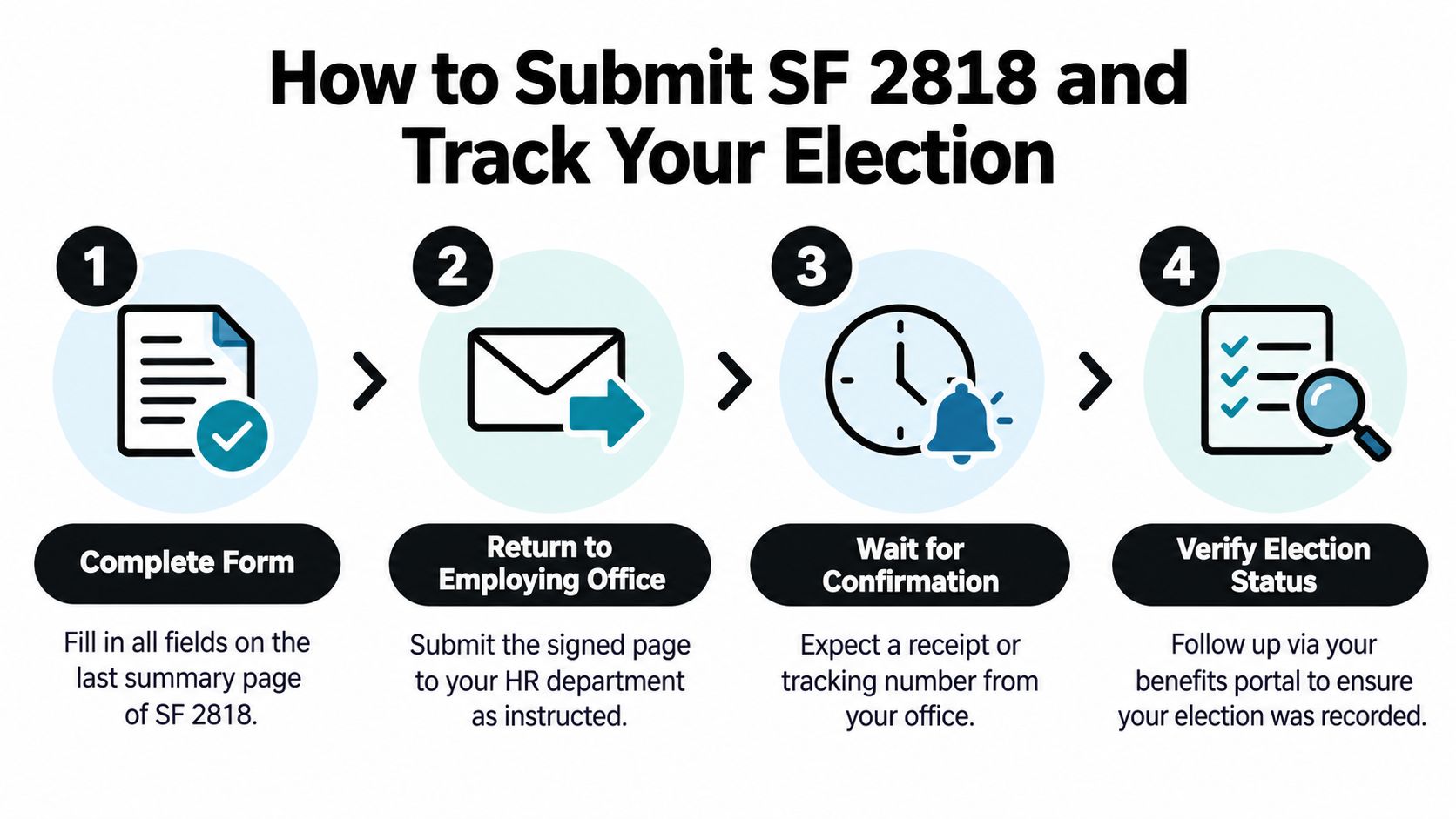
A completed SF 2818 can still create delays if it reaches the wrong office or arrives in a format your agency cannot process. Treat submission as a handoff with two parts: confirm the receiving office's instructions, then keep evidence that the office received your election. OPM says the completed last page should be returned to the employing office. Your HR or benefits office should tell you whether it accepts an electronic file, scanned copy, original signature, or another approved method.
Confirm the agency's preferred submission method
OPM's instructions identify where the completed page goes, but agencies may set their own procedures for electronic signatures, scanned documents, and email delivery. Do not assume that a signature typed into the fillable PDF will be accepted everywhere.
Ask your employing office:
- Does it accept a digitally signed PDF?
- Does it require a handwritten signature?
- Will it accept a scanned copy by email?
- Should you use a secure employee portal?
- Does it want the entire form or only the completed last page?
- Who confirms receipt?
A short written answer prevents a submission problem later. If HR gives instructions by phone, summarize them in an email and keep the response with your form. That message functions like a receipt for the process you were told to follow.
Preserve proof of delivery
Keep the first three pages for your records, as OPM instructs, and save a complete copy of the signed last page. For electronic delivery, retain the sent email, portal confirmation, or upload receipt. For an internal mail process, record when you delivered the form and which office or destination received it.
Use the official document as your reference: The official OPM form reference. The form's administrative history identifies SF 2818 as a standardized government document used for federal FEGLI elections. Avoid relying on an old copy saved from another source when the official file is available.
If HR doesn't provide the form
If you are eligible but have not received SF 2818, contact your HR or retirement benefits specialist promptly. Request the official downloadable form and ask exactly how your office wants the completed page returned.
If there is no response, follow up through another agency benefits channel and preserve your messages. Do not substitute an unofficial file because it appears fillable. The official instructions state that previous versions are not usable, so the wrong document can cause processing problems.
After sending the form, ask when and how the office will confirm that your election was recorded. If the agency says it forwarded the form for retirement processing, keep that response with your retirement records.
Final Checklist and Next Steps for a Smooth Retirement Filing
A clean submission depends on two separate reviews: whether the form is accurate and whether the coverage matches your decision.
- Official file: Use the current downloadable Adobe PDF from OPM, available through the official OPM form reference.
- Personal information: Compare your name and identifying details with your personnel records.
- Retirement information: Confirm retirement or compensation details with your employing office.
- Basic election: Make the intended reduction choice clear. An unanswered or ambiguous choice can affect processing.
- Optional coverage: Review Option A, Option B, and Option C independently, including the number of Option B and Option C multiples.
- Signatures: Sign every required election section.
- Records: Keep the first three pages and a complete copy of the signed last page.
- Submission: Return the completed last page through your office's approved method.
- Confirmation: Save the email, portal receipt, upload confirmation, or other proof that HR or the benefits office received it.
Do not evaluate FEGLI in isolation. Review the election with your TSP strategy, health coverage, Social Security timing, survivor plans, and expected retirement income. The goal is to confirm that the coverage you continue still serves the financial purpose you want life insurance to provide.
If the form or filing instructions remain unclear, Federal Benefits Sherpa provides benefit reviews, retirement planning, and gap analysis reports for federal employees considering SF 2818 and FEGLI continuation. Visit Federal Benefits Sherpa to request guidance for your broader retirement benefits plan.


Dedicated to helping Federal employees nationwide.
“Sherpa” - Someone who guides others through complex challenges, helping them navigate difficult decisions and achieve their goals, much like a trusted advisor in the business world.
Federal Benefits Sherpa, LLC
12724 Gran Bay Parkway West, Suite 410, Jacksonville, FL 32225
Email: [email protected]
Phone: (833) 753-1825
© 2024 Federalbenefitssherpa. All rights reserved
Federal Benefits Sherpa is an independent organization and is not affiliated with or endorsed by the U.S. government or any federal agency.