
Learning Center
How to Change TSP Funds: A Federal Employee Guide
You log in to your Thrift Savings Plan account intending to make a quick adjustment. Maybe the market has made you uncomfortable, or retirement is getting closer and your current allocation no longer feels appropriate. You select a new fund, submit the change, and assume the job is finished.
Then your next paycheck arrives, and the new contribution is still going to the old fund.
That mistake happens because the TSP separates future contribution elections from changes to your existing account balance. Before you learn how to change TSP funds, you need to know which money you're trying to move. The wrong selection can leave your current balance in one allocation while every new payroll deposit continues somewhere else.
The Biggest Mistake Federal Employees Make With TSP
Most employees use the word “rebalance” to describe two different actions. They may want to redirect future payroll deposits, move money already invested, or do both. The TSP treats those instructions separately, so changing one setting doesn't automatically change the other.
An investment election controls where future contributions go. If you change your election from a Lifecycle fund to a combination of the C, S, and I Funds, that change applies to new money entering the account. It doesn't automatically redistribute the balance you've already accumulated.
A reallocation, also called a fund transfer, changes the investment mix of your existing balance. The TSP describes these as separate transactions from investment elections, and the distinction applies to both civilian and uniformed services accounts. You can review the official explanation of how TSP investment changes work before submitting either instruction.
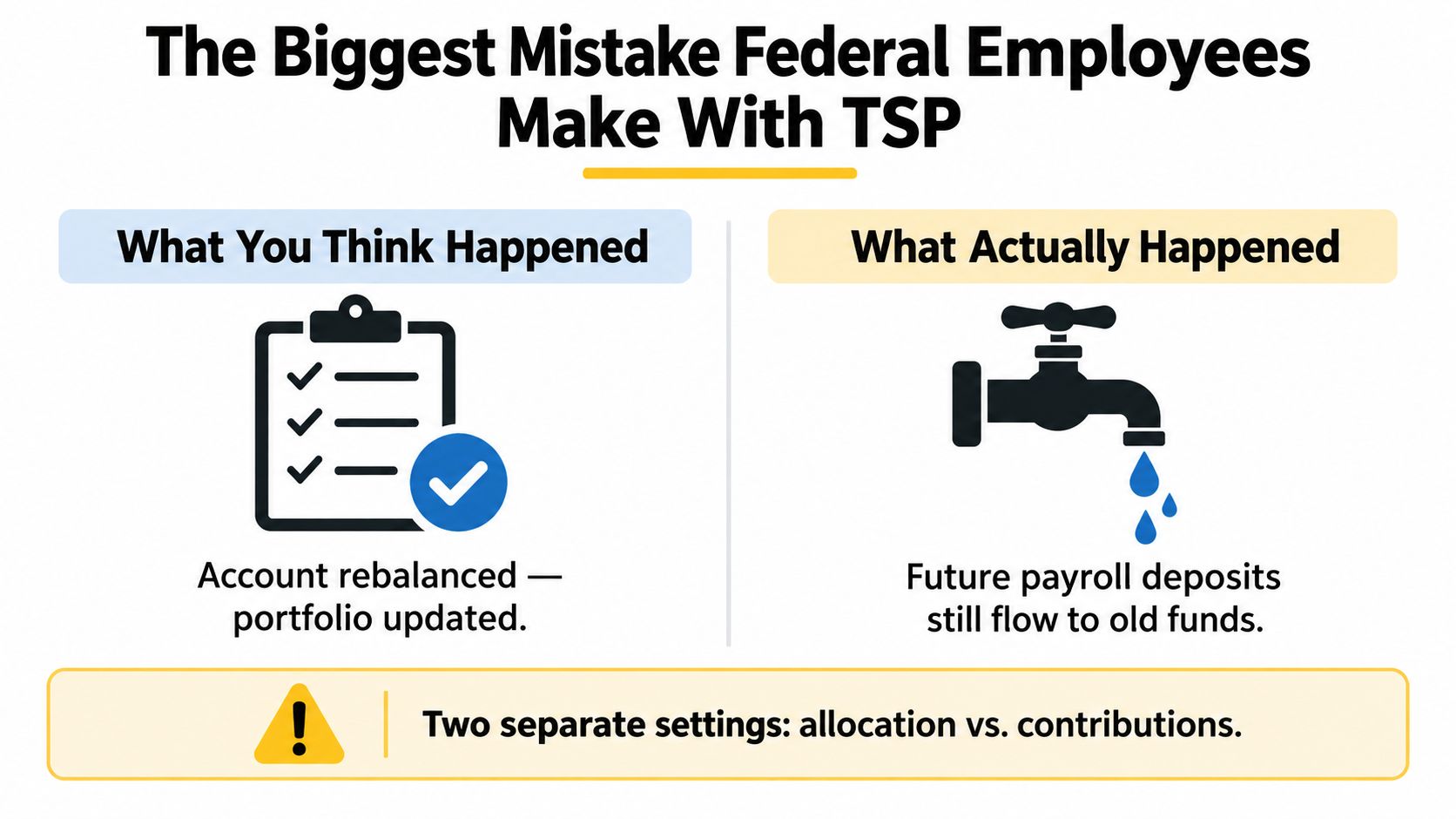
The two settings you must check
Use this comparison before you press submit:
| If you want to change | You need to update |
|---|---|
| Where future paycheck contributions are invested | Your investment election or contribution allocation |
| Where your existing account balance is invested | A reallocation or interfund transfer |
| Both future and existing money | Both settings, as separate actions |
The practical problem is easy to identify. An employee might move an existing balance into a conservative allocation but leave future deposits directed to an aggressive fund. Another employee might change future contributions while an older balance remains invested according to the previous strategy.
Practical rule: If your goal is a complete portfolio reset, verify both the future contribution election and the existing balance allocation before you leave the TSP website.
The TSP's historical rules also show why fund movement shouldn't be treated as an unlimited trading tool. Earlier statutory arrangements provided only limited transfer opportunities, while the current framework gives participants ongoing flexibility within defined monthly guardrails. The mechanics have improved, but the responsibility remains yours: identify the money, choose the correct transaction, and confirm the result.
Redirecting Your Future Paycheck Contributions
If your immediate goal is to change where new payroll deposits go, start with your contribution allocation. This is the right setting for a newly hired employee choosing an initial strategy, or for someone who wants future savings to follow a different risk profile without immediately selling the current balance.
Sign in to your TSP account and open the area labeled Contributions and Allocations. The exact screen labels can change as the TSP updates its website, so read each instruction carefully rather than selecting the first fund-change option you see.
A careful process for changing future allocations
Open the contribution settings. Look for the page that controls investment elections for future contributions. Don't confuse it with the option for moving money already in the account.
Review the destination funds. The core choices include the G, F, C, S, and I Funds, along with the Lifecycle Funds. Choose an allocation that matches your time horizon and ability to tolerate market losses, not just the fund that performed best recently.
Enter the allocation percentages. Your selected percentages must total 100%. You can direct future deposits to one fund or divide them among several funds, depending on your written retirement strategy.
Check traditional and Roth contribution settings. Traditional and Roth contributions are different tax sources, but your investment election determines where the future money is invested. Review both areas so you don't leave one contribution type following an outdated instruction.
Submit and confirm the change. Save the election and look for a confirmation or submitted status. Keep a record of the date and the allocation you selected.
Your agency's payroll process affects when the new election appears in a paycheck. Don't assume the setting changed merely because you clicked submit. Review a later Leave and Earnings Statement and your TSP transaction history to confirm that the new contribution allocation took effect.
For a broader review of contribution decisions, including how contribution choices fit into retirement savings, read this guide to changing TSP contributions.

Don't use a future contribution election as a substitute for rebalancing. If the balance already in your account needs to move, you still need to complete the separate transaction described next.
Moving Your Existing Account Balance
Changing future deposits won't move the money you've already accumulated. To change that balance, use the TSP's reallocation or interfund transfer function.
Start by signing in to the correct account and opening the fund transfer option. If you have both civilian and uniformed services accounts, check which account you're viewing before entering percentages. The TSP applies the transfer rules separately to those account types.
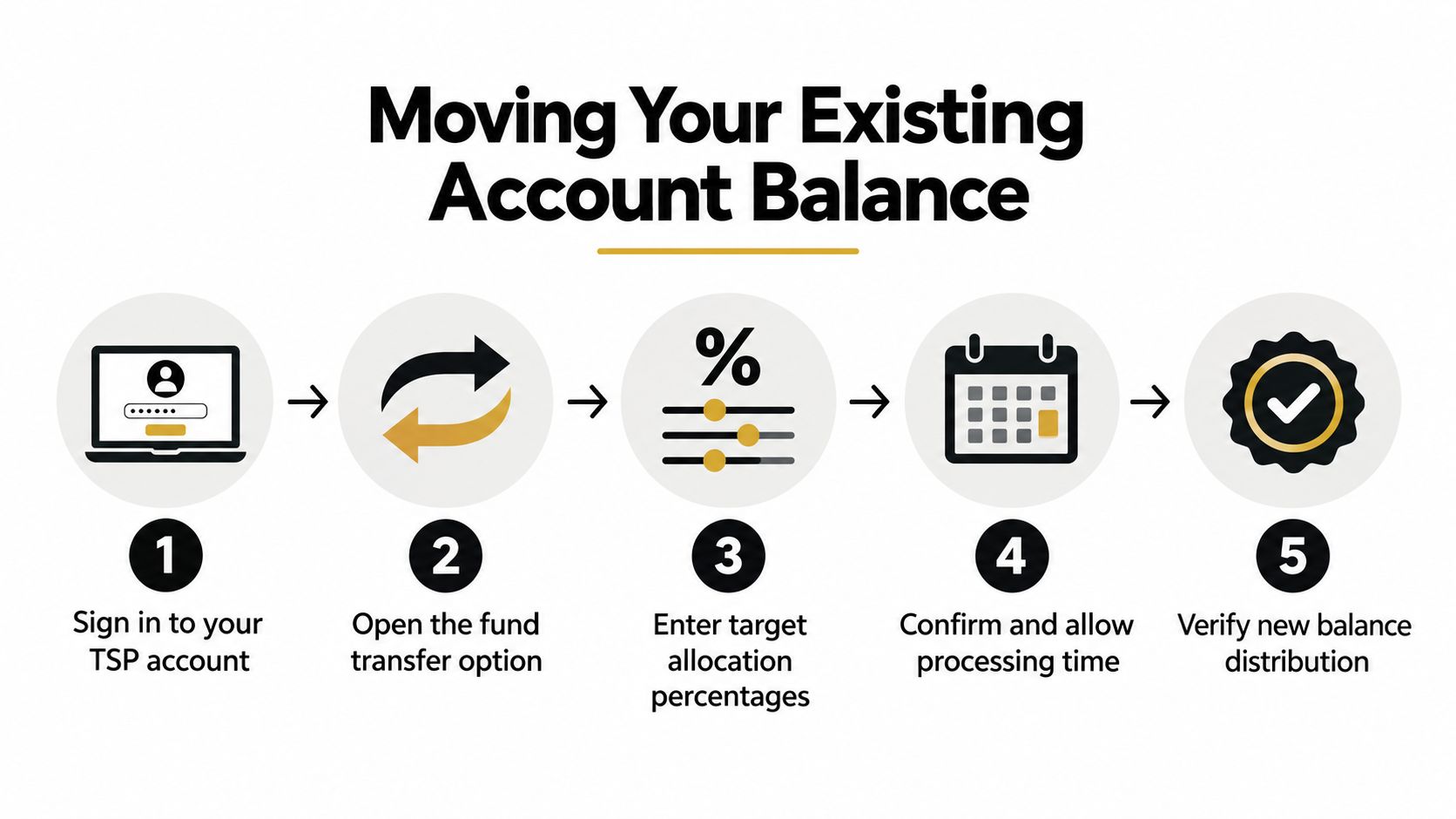
Use the transfer process deliberately
Enter the percentage allocation you want for the existing balance. The percentages must total 100%, and you should base the decision on your investment policy, retirement horizon, and need for stability. Don't make a large allocation change because of a single difficult market session.
The TSP processes these transactions daily after they're entered into the system. Processing still isn't instantaneous, so a pending status or a temporary difference between your expected allocation and dashboard display doesn't necessarily mean the instruction failed. Save the confirmation and check the account after processing.
The monthly rule matters most for employees who make repeated changes. The first two reallocations or fund transfers in a calendar month can move money among any TSP funds. After those two transactions, additional transfers during that month are restricted to the G Fund. The rule applies separately to civilian and uniformed services accounts, so identify the account before assuming you've used your available transfer opportunities.
The right habit is to rebalance from a written target allocation, not from a daily market headline.
If you're comparing retirement account movement rules across countries or account types, a complete ISA transfer guide can provide useful background. It doesn't replace TSP guidance, but it can help clarify why different retirement systems impose different transfer procedures.
Before moving money out of the TSP entirely, understand the consequences and destination-account rules. The TSP to IRA rollover guide is a useful resource for evaluating that separate decision. A rollover isn't the same as changing funds inside the TSP, and it deserves its own tax and investment review.
Navigating the Mutual Fund Window Rules
The TSP mutual fund window is not a simple extension of the core fund menu. It introduces additional investment choices, but the TSP places firm limits on how much of your account can be exposed to that window and how much you must invest to use it.
The mutual fund window caps exposure at 25% of your total account balance, and the initial investment must be at least $10,000, according to the TSP's published plan information. Those are eligibility and allocation constraints, not suggestions. You can't direct an unrestricted share of your retirement account into outside mutual funds.
Decide whether complexity earns its place
The core TSP funds already provide broad categories for government securities, bonds, domestic stocks, international stocks, and lifecycle investing. The mutual fund window may offer additional choice, but additional choice also creates more responsibility for fund selection, monitoring, expenses, diversification, and rebalancing.
Ask yourself three questions before using it:
- What problem am I solving? If your concern is only that your current allocation feels uncomfortable, changing the core-fund mix may solve the problem without adding another investment platform inside the account.
- Can I maintain the allocation? A complicated portfolio needs a written reason for each holding and a clear process for reviewing it. Otherwise, the window can become a collection of overlapping funds.
- Will the limits change my intended strategy? The exposure cap means the mutual fund window can supplement your TSP strategy, but it can't replace the core account allocation.
Employees often focus on access and overlook implementation. The minimum investment can also make the feature irrelevant for participants whose account balance can't support the required starting amount while preserving an appropriate core allocation.
For a comparison of the TSP's core choices, review this resource on the TSP funds available to federal employees. Choose the mutual fund window only when it serves a defined portfolio purpose. Don't use it because a broader menu feels automatically better.
Aligning Fund Changes With Your Retirement Timeline
The correct fund change depends less on today's market mood than on when you'll need the money and how much volatility you can absorb. A younger employee with many working years ahead can generally tolerate more fluctuation than someone preparing to draw from the account, but neither person should choose an allocation without considering the rest of the retirement plan.
A useful starting point is to write down your target allocation and the reason behind it. Then decide whether the TSP's Lifecycle Funds provide the glide path you want or whether you need to combine the core funds yourself. The important issue isn't whether one option sounds more clever. It's whether you can stay with the strategy through periods when account values fall.
Treat Lifecycle changes as a planning prompt
The TSP retired the L 2025 Fund in June 2025 and launched the L 2075 Fund, according to the TSP's current forms and participant materials. That change matters for anyone using a target-date approach, especially employees whose original target fund no longer reflects their expected retirement timing.
Don't assume an automatic lifecycle transition answers every planning question. Review the fund associated with your expected retirement date, confirm whether the time horizon still fits, and consider how the TSP account works alongside your pension, Social Security, other investments, and expected spending.
A self-directed allocation requires discipline. You might choose a mix of the C, S, and I Funds for growth exposure, then include the F or G Fund for stability. The specific mix should reflect your entire financial picture, not a generic age formula.
Build a glide path you can follow
A glide path is a planned change in risk as retirement approaches. It can be implemented through a Lifecycle Fund or through deliberate changes to your own allocation. Either way, define the conditions for a change before markets become stressful.
Retirement planning principle: A temporary market decline isn't a retirement strategy. Your allocation should change because your timeline or spending needs changed, not because fear made the decision for you.
Use the TSP's fund-change tools to implement the plan, then review the confirmation and future contribution election separately. The administrative steps are straightforward when the strategy is already settled. The difficult part is resisting the urge to replace a long-term plan with an emotional reaction.
If your retirement date has moved, your pension estimate changed, or your expected withdrawals look different, revisit the glide path. If nothing material changed, leave the allocation alone and direct your attention to savings rate, beneficiary designations, taxes, and income planning.
Troubleshooting Processing Delays and Errors
A transaction can be correct and still fail to appear immediately in the way you expect. Start with the confirmation, transaction status, and account history instead of submitting the instruction again. Repeating a request can create confusion, especially when transfer limits apply.
If you changed future contributions, check whether the new election has reached the payroll process. The TSP account may show the election before a payroll deposit reflects it, or a payroll cutoff may delay the first visible change. Compare the TSP record with a later Leave and Earnings Statement.
Use this diagnostic sequence
- Pending transaction: Keep the confirmation details and allow the daily processing cycle to complete before taking further action.
- Unexpected existing balance: Confirm that you used a reallocation or interfund transfer rather than only changing the investment election.
- Unexpected new deposit: Review the contribution allocation separately. An existing-balance transfer doesn't redirect future payroll money.
- Transfer restriction: Check how many reallocations or fund transfers you've already made in the calendar month. After the first two, additional transfers are limited to the G Fund.
- Wrong account: If you have civilian and uniformed services accounts, verify the account selector. The transfer limits apply separately to each account.
- Access problem: Don't rely on an email or browser refresh as proof of submission. Sign in again, review the transaction history, and contact TSP support if the confirmation and account record conflict.
Balances can also look temporarily uneven while a transaction processes. The account value may change with market movement before the new allocation becomes visible, so compare percentages after processing rather than judging the transaction from a single intraday balance.
If the transaction still doesn't appear after the expected processing period, gather the date, account type, confirmation number, selected funds, and allocation percentages before contacting support. That information gives the representative a clear record of what you intended and helps prevent a second, unnecessary submission.
Federal Benefits Sherpa helps federal employees review TSP allocations, contribution decisions, and broader retirement income needs through personalized planning support and educational resources. Visit Federal Benefits Sherpa to request a benefits review and turn your next TSP change into part of a coordinated retirement plan.


Dedicated to helping Federal employees nationwide.
“Sherpa” - Someone who guides others through complex challenges, helping them navigate difficult decisions and achieve their goals, much like a trusted advisor in the business world.
Federal Benefits Sherpa, LLC
12724 Gran Bay Parkway West, Suite 410, Jacksonville, FL 32225
Email: [email protected]
Phone: (833) 753-1825
© 2024 Federalbenefitssherpa. All rights reserved
Federal Benefits Sherpa is an independent organization and is not affiliated with or endorsed by the U.S. government or any federal agency.