TSP Projection Calculator: Plan Your Federal Retirement
You're a federal employee with a current TSP balance, a contribution election, and a retirement date that still feels just far enough away to avoid calculating. Then a promotion, a pay change, or a benefits statement forces the question: Will this account produce enough income when I stop working?
A TSP projection calculator can give you a usable answer, but only if you treat the result as a planning model rather than a promise. The valuable output isn't one impressive ending balance. It's the difference between sensible scenarios, including full match capture, pay-period pacing, Roth versus Traditional contributions, and converting part of the account into guaranteed monthly income.
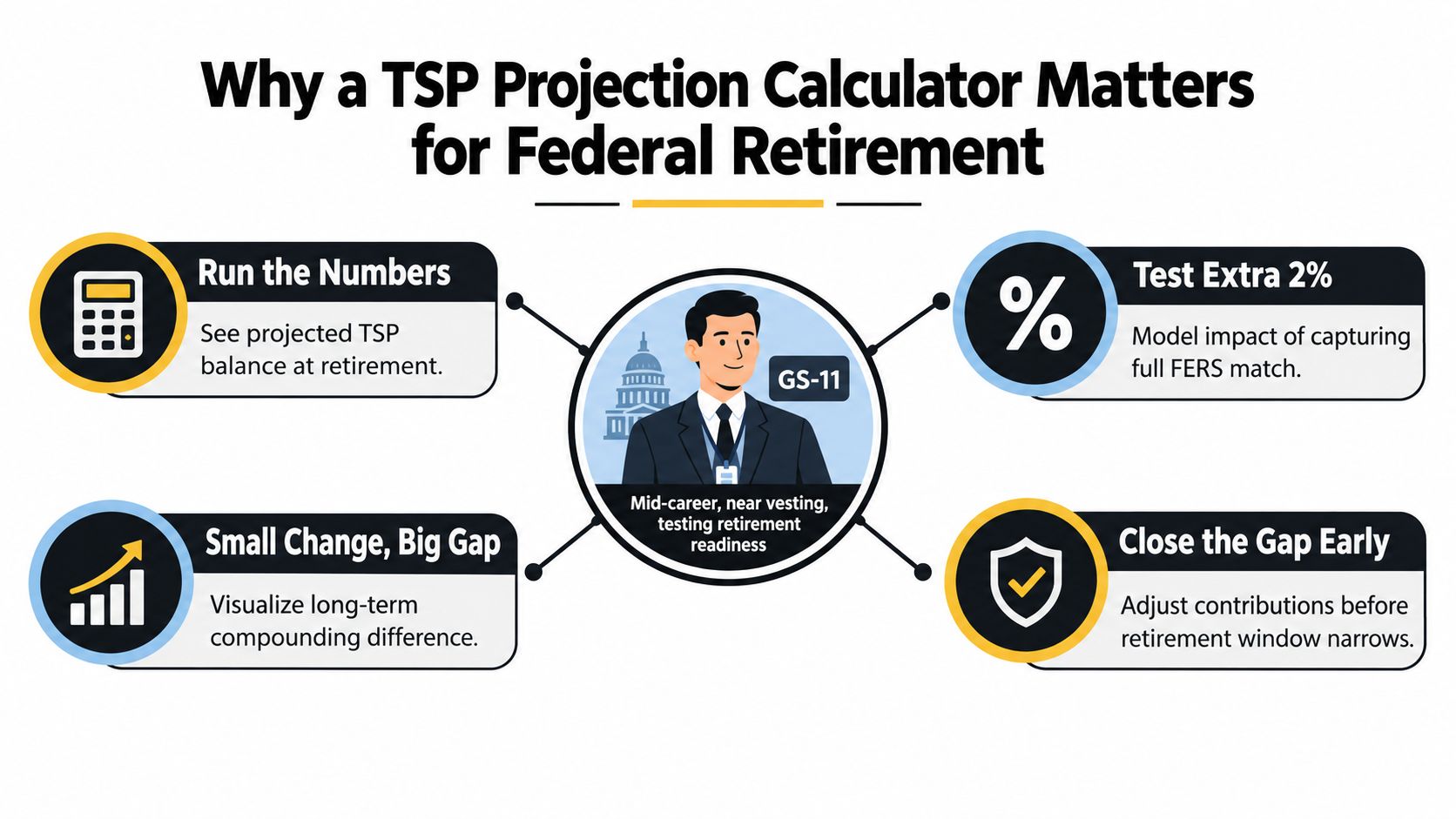
Why a TSP Projection Calculator Matters for Federal Retirement
Suppose you are a GS-11 employee midway through a federal career. Increasing your TSP contribution would reduce today's take-home pay, so the decision needs more than a general savings rule. Enter your current balance, salary, contribution rate, projected retirement age, and investment assumptions. Then compare the outcome with and without the increase. The useful question is whether the added savings materially improve income at your planned retirement date.
The official TSP calculator suite provides personalized retirement-income estimates. TSP.gov also offers an annuity calculator that estimates monthly life annuity payments when you convert part or all of your account through an outside vendor. That structure makes the tool more relevant to federal employees than a generic compound-growth calculator.
Treat the model as part of a larger income plan
Your TSP projection belongs beside the other income and protection decisions in your federal retirement plan:
- FERS pension: Your defined-benefit income depends on service history, high-three salary, retirement eligibility, and the elections you make.
- Social Security: Your benefit adds another income stream, but its start date may differ from your retirement date.
- FEGLI or private life insurance: Coverage choices affect survivor protection and the retirement income your household must replace.
- TSP withdrawals: The account can supplement predictable income, pay irregular expenses, or provide part of a monthly annuity payment.
A useful model also requires a return assumption and an income target. Without both, “I'm contributing enough” is only a feeling. Set the target first, then judge whether the projected balance and withdrawal choices can support it.
Planner's rule: Use the calculator to make a decision, not to admire a balance. Every projection should identify what you will change if the result falls below your income target.
Run scenarios that reflect how TSP saving works. Compare contributions spread evenly across pay periods with a more aggressive pace. Confirm that your elections capture the full agency match. Compare Roth and Traditional accumulation, while remembering that identical account balances can produce different after-tax spending power. Then test whether converting part of the account to an annuity could cover essential expenses.
The calculator does not predict market returns or replace a complete retirement analysis. It does show which assumptions drive the result and whether a small change in contributions, match capture, tax treatment, or income design deserves action. Use that information to adjust the plan, not to defend a single forecast.
Inputs You Need Before You Open a TSP Projection Calculator
Don't open the calculator first. Gather the information, write it down, and decide which assumptions you're willing to defend. Most of the work fits into a short worksheet using your latest TSP statement, current leave and payroll information, and your most recent SF-50.
Build your five-minute input sheet
Start with the current account balance, separated by fund if the tool requests that detail. Then record your basic annual salary, contribution percentage, pay schedule, current age, and planned retirement age. Your contribution percentage matters more than a vague savings goal because the payroll system applies it to basic pay.
For a 2026 projection, verify the applicable elective-deferral limit before assuming that a high contribution percentage can continue unchanged. One 2026 calculator listing states an employee elective-deferral limit of $24,500, with a $7,500 catch-up contribution available to workers age 50 through 59 and age 64 and above, for a possible total of $32,000, while other 2026-oriented calculator pages describe enhanced catch-up treatment for ages 60 through 63. Because age-based rules can change the model, use the current limit shown by the tool and confirm it against official plan guidance. See the TSP contribution calculator guide for 2026 savings for a payroll-oriented way to translate an annual target into per-paycheck contributions.
If you're covered by FERS, enter agency contributions separately. Eligible participants generally receive an Agency Automatic Contribution of 1%, a dollar-for-dollar match on the first 3% of pay, and a 50-cent match on the next 2%, as described in the TSP matching contribution rules. Contributing 5% captures the full stated match under that formula. Don't combine the automatic contribution and match into one unexplained input, because separating them helps you identify whether a payroll election is leaving matching money unused.
| Input | Where to Find It | Notes for 2026 |
|---|---|---|
| Current TSP balance | Latest TSP statement | Enter the total, or split it by fund if required |
| Employee contribution rate | Earnings statement or payroll portal | Test the rate that captures the full available match |
| Pay schedule | Payroll office or earnings statement | Use the actual pay-period schedule |
| Annual salary | SF-50 or earnings statement | Use basic pay, not total compensation |
| Salary growth assumption | Personal career plan and pay history | Include expected steps, promotions, or a conservative no-growth case |
| Agency contributions | TSP and payroll records | Enter automatic and matching contributions separately |
| Fund allocation | TSP account | Record G, F, C, S, I, or Lifecycle allocations |
| Return assumption | Your planning policy | Use a defensible assumption, then test lower and higher cases |
| Retirement age | Your retirement plan | This determines the accumulation horizon |
| Roth or Traditional mix | TSP contribution election | Track tax treatment separately from investment allocation |
Finally, note expected salary steps, planned promotions, and any periods when you might reduce contributions. A calculator can apply a salary-growth assumption, but it won't know about a hiring freeze, career change, or temporary financial pressure unless you model it.
Running Your First Base Projection Step by Step
Start with a deliberately plain base case. Enter what you are doing now, not the strategy you might adopt after seeing the result. That gives you a reference point for testing pay-period pacing, match capture, Roth versus Traditional contributions, and eventual annuity conversion.
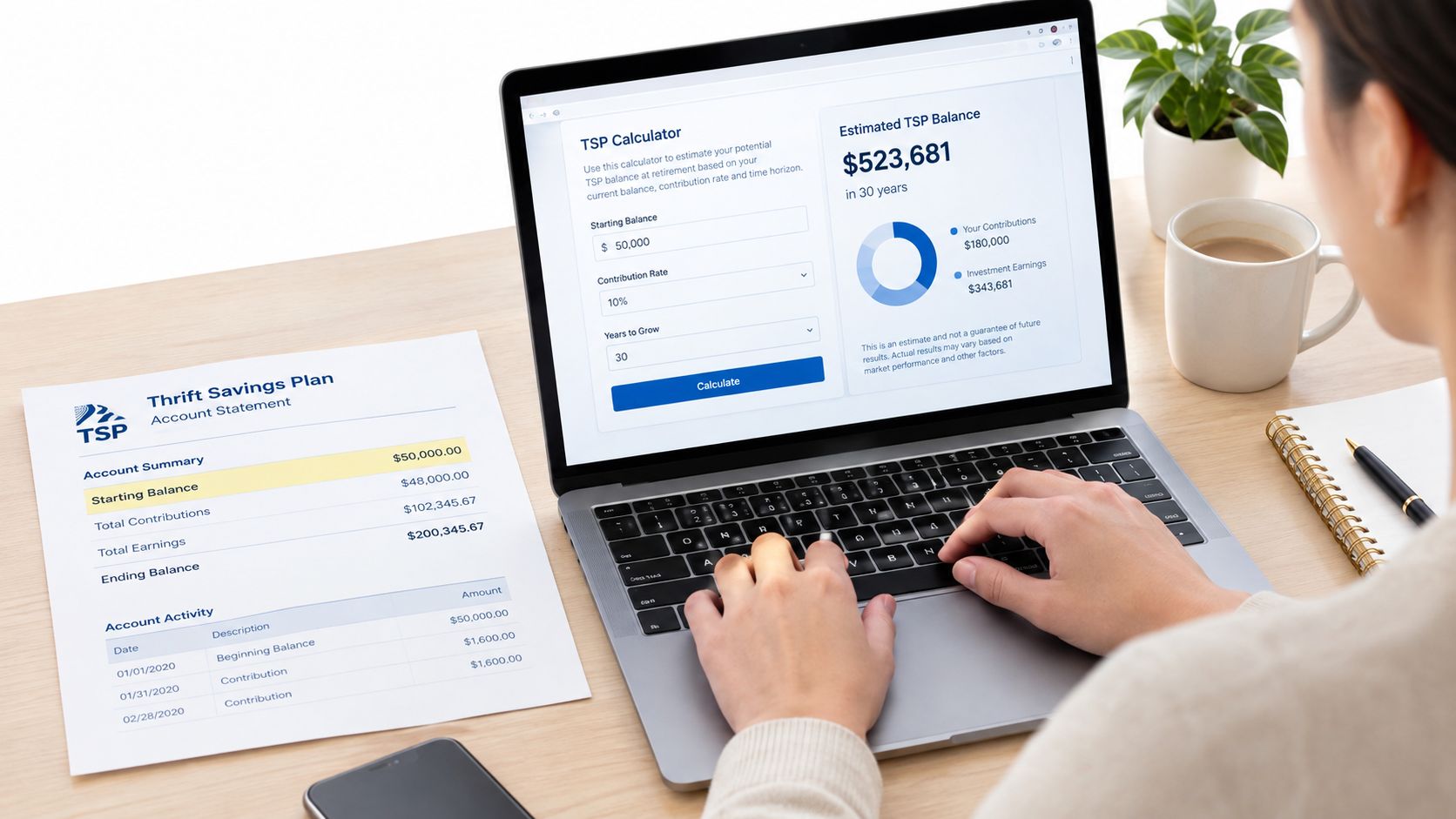
Enter the account and payroll facts first
Step 1, enter the opening balance. Use the figure from your latest TSP statement. If the calculator accepts fund-level balances, enter those figures rather than estimating the split.
Step 2, enter the employee contribution rate. Use the percentage currently deducted from basic pay. Review the agency contribution fields and confirm that the projection includes both the automatic contribution and the matching structure that applies to your FERS coverage.
Step 3, choose the investment allocation. A Lifecycle fund works well as a default if you want the allocation to become more conservative over time without adjusting each fund manually. For a custom mix, enter the G, F, C, S, and I percentages precisely. Match the return assumption to the portfolio. An aggressive return paired with a conservative allocation will make the output misleading.
Use pay-period contributions when the calculator offers that option. TSP accounts are valued daily, and federal payroll commonly uses 26 or 27 pay periods. Deposits modeled at period end remain an approximation, as explained by Beyond Government's TSP calculator methodology. The timing can affect results when raises, contribution changes, or agency matching do not occur on the same schedule.
Choose a return assumption you can tolerate
For a C-Fund-heavy blend, the scenario instructions for this model use a planning range around 6% to 7% nominal. A G-Fund-heavy mix may support an assumption around 3% to 4%. Treat both as planning inputs, not forecasts. Run a lower-return case as well. If the plan succeeds only under your preferred assumption, the plan is too fragile.
Step 4, set the horizon. Enter your planned retirement age and verify that contributions stop on the intended date.
Step 5, review the output. Record the ending balance, estimated income, total contributions, and assumptions. Save the base result before changing any input so every later scenario has a clear comparison point.
Use the TSP Annuity Calculator after reviewing accumulation. It estimates what could happen if you use part or all of the account to purchase monthly life annuity payments through an outside vendor. Keep that income estimate separate from the account balance, because converting assets into income changes the remaining account value and the flexibility available to you.
Comparing Scenarios That Actually Change the Outcome
A single projection is a snapshot. A scenario set is a decision tool.
Start with match capture. Compare contributing 3% of basic pay with contributing 5%. Under the FERS formula described earlier, the lower contribution level receives the dollar-for-dollar match on the first 3% but doesn't reach the matching tier on the next 2%. The higher contribution rate reaches the full stated match. The exact balance difference depends on salary, current balance, investment performance, contribution timing, and the years remaining.
The second comparison is Roth versus Traditional. A Traditional TSP contribution generally offers its tax benefit before retirement, while a Roth TSP contribution uses after-tax dollars and can provide tax-free qualified withdrawals under applicable rules. A calculator may show similar account balances for the same investment allocation, but that does not mean the two balances buy the same amount of spending power. For a deeper payroll and tax comparison, review this Roth TSP calculator guide.
Use side-by-side rows, not one blended answer
The requested comparison should look like this, but you must populate the figures from your own calculator inputs. Don't insert a generic balance for a GS-12 employee because salary step, starting balance, allocation, and timing can change the result substantially.
| Scenario | Contribution Rate | Ending Balance | Tax-Adjusted Balance | Monthly Income |
|---|---|---|---|---|
| Stop below full match | 3% | Run with your data | Estimate after tax | Use withdrawal or annuity output |
| Capture full match | 5% | Run with your data | Estimate after tax | Use withdrawal or annuity output |
| Traditional-focused mix | Your election | Run with your data | Apply your tax assumption | Use withdrawal or annuity output |
| Roth-focused mix | Your election | Run with your data | Apply your tax assumption | Use withdrawal or annuity output |
| Even pay-period pacing | Your election | Run with your data | Estimate after tax | Use withdrawal or annuity output |
| Front-loaded pacing | Your election | Run with your data | Estimate after tax | Use withdrawal or annuity output |
A GS-12 step 5 employee should expect the calculator to show a different result after 25 years when the contribution rate, tax treatment, or deposit timing changes, but the brief provides no verified salary or account balance for calculating dollar deltas. Use your own earnings statement rather than trusting an invented example.
Read the output in this order: Check the ending balance, then the tax-adjusted balance, then the monthly income estimate. A larger pre-tax balance can still produce less spendable income than a smaller after-tax balance.
Front-loading deserves special attention. Contributing aggressively early in the year can cause you to reach the annual limit before the year ends. If payroll then stops employee contributions, you may create pay periods without the employee contribution needed to receive the full agency match. Compare front-loaded and evenly paced contributions with the match field separated. If the front-loaded row is higher only because the model ignores lost matching opportunities, the result is misleading.
Stress Testing Your Projection Against Real-World Shocks
A base projection is too polite. Retirement plans need to survive bad markets, stagnant pay, withdrawals, and poor timing.
Begin by reducing the assumed return from 7% to 4%, as the scenario instructions require. Keep every other input unchanged and record the ending-balance gap. Next, set salary growth to zero for a 24-month pay freeze. Then add a one-time $20,000 withdrawal for a home purchase or medical event. Each test isolates one vulnerability, so you can see which assumption deserves the most attention.
The supplied visual uses a $685,000 base projection, $412,000 under a 4% return, $658,000 after a 24-month pay freeze, $625,000 after a $20,000 withdrawal, and $385,000 under a combined shock. Those figures belong to the infographic scenario, not to your personal projection. Treat them as an illustration of sensitivity, not as a forecast for a typical employee.
Configure the shocks deliberately
- Return reduction: Change only the annual return assumption. Compare ending balance and monthly income with the base case.
- Pay freeze: Set salary growth to zero for the specified period, then restore your longer-term assumption. Compare the contribution shortfall and ending balance.
- Early withdrawal: Enter the withdrawal at the intended age or projection year. Compare both the amount removed and the growth the account no longer earns.
- Bear-market sequence: Apply weaker returns near retirement rather than only averaging a lower return across the entire horizon. Compare the balance at retirement and the income result.
- Combined case: Layer the shocks only after testing them separately. The combined result shows whether your plan has enough margin.
You can use the TSP performance guide for 2026 planning as a starting point for reviewing fund behavior, but historical performance won't predict your future account value.
Stress-test discipline: Record the dollar gap against the base case after every run. If you don't know the gap, you don't know the risk you're accepting.
The calculator also has blind spots. It can't anticipate continuing resolutions, locality-pay changes, an unexpected promotion, a career break, or your survivor-benefit election. It also won't know whether a withdrawal reflects a one-time emergency or a recurring spending problem. Add those factors manually through separate scenarios.
Plugging the Projection Into Your Full Retirement Plan
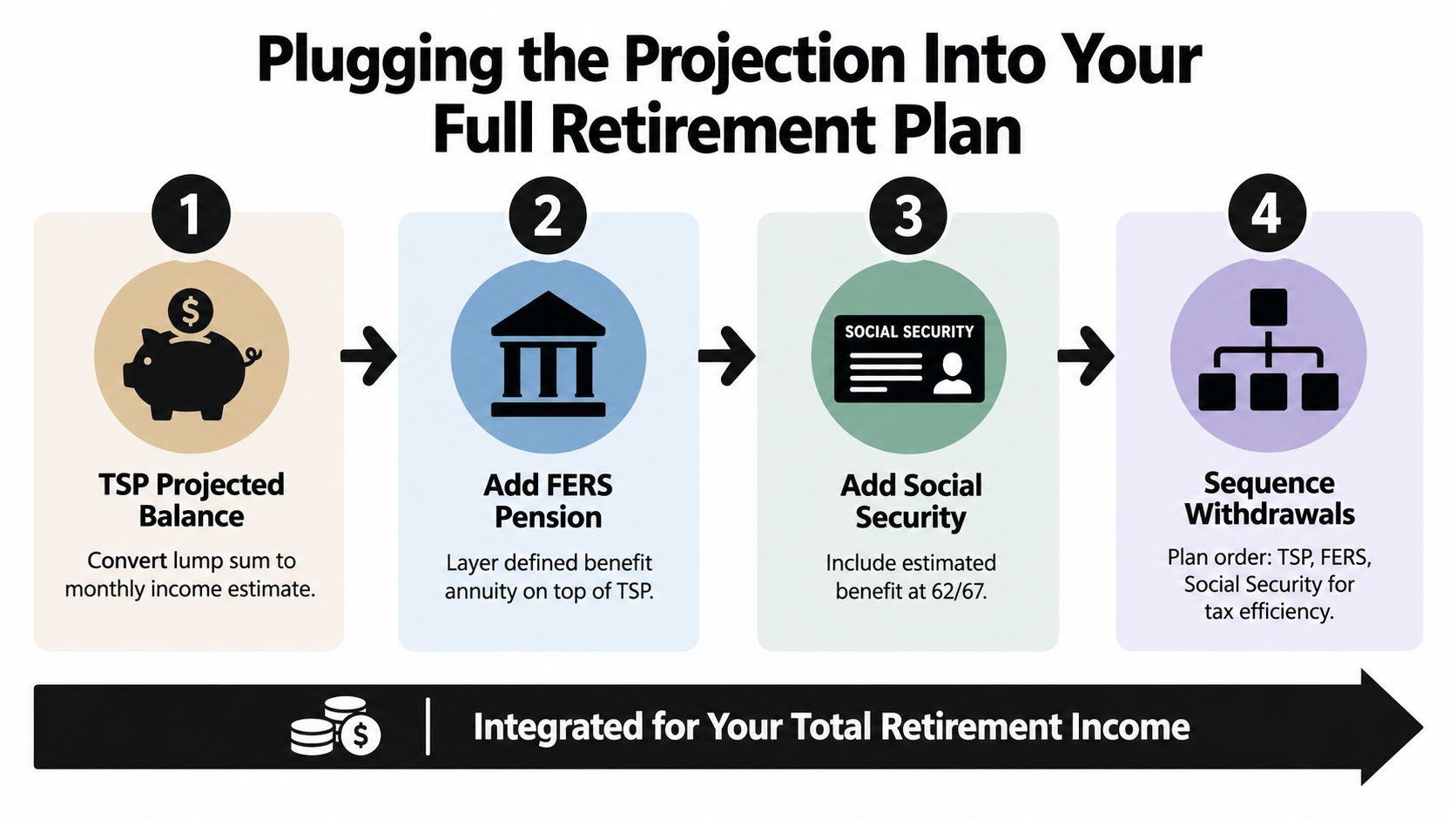
The TSP balance becomes meaningful only after you convert it into retirement income and combine it with the benefits you expect to receive. A large account can still fail to support your spending target if withdrawals begin too early, taxes are ignored, or essential expenses depend on market returns.
Start with the TSP result. Use the official annuity tool to estimate monthly income if you convert part or all of the account into life annuity payments through an outside vendor. Compare that figure with a withdrawal-based income estimate. The annuity option can provide predictable payments, but it may reduce liquidity and limit the amount available for heirs depending on the contract and election.
Build a three-source income worksheet
Create three rows:
- FERS pension: Enter your estimated gross FERS annuity, then account for any survivor election and other deductions that apply to your situation.
- TSP income: Use the projected balance and compare systematic withdrawals with partial annuity conversion.
- Social Security: Enter the estimate from your Social Security statement at the claiming ages you're considering.
Then compare the combined gross income with your expected retirement spending. Don't hide the gap inside an optimistic investment assumption. If essential expenses exceed predictable income, identify whether you need to save more, work longer, reduce spending, claim Social Security differently, or annuitize part of the TSP.
A partial annuity purchase can make sense when you want to cover a defined portion of essential expenses without surrendering the entire account. It may be particularly useful for an employee who doesn't have a spouse or survivor depending on the account, or for someone with a FERS coverage gap that leaves less predictable income. It isn't automatically superior. Liquidity, inflation exposure, beneficiary goals, health, and contract terms all matter.
A worked structure without invented figures
Use this worksheet with your own statements:
| Income source | Monthly estimate |
|---|---|
| FERS pension | Your OPM estimate |
| TSP systematic withdrawal | Your calculator output |
| Partial TSP annuity | Your TSP Annuity Calculator output |
| Social Security | Your statement estimate |
| Total projected income | Add selected rows |
| Monthly spending target | Your household budget |
| Surplus or gap | Total income minus target |
The correct result isn't the biggest projected balance. It's a retirement income plan that covers essential spending, preserves flexibility for irregular costs, and matches your household's survivor and tax priorities.
Your Next Steps and Common Projection Questions
Put the plan on your calendar this week. Pull your latest TSP statement, confirm your employee contribution election, and verify that your FERS contribution captures the full agency automatic contribution and available matching structure. Then run three projections: a base case, a lower-return case, and one reflecting likely cash-flow pressure. Keep pay-period pacing, match capture, and the Roth versus Traditional mix visible in each result.
Review the model every January and after a major life event, such as a promotion, divorce, or birth. Do not change the return assumption because markets had a strong year. Change it when your long-term allocation or planning policy changes. Recheck the projection if your retirement date, spending target, or decision to convert part of the account to an annuity changes.
Four questions that derail otherwise good plans
Should the result use today's dollars or future dollars? Pick one method and label it clearly. A future-dollar balance can look large because salaries, contributions, and prices may rise over time. A today's-dollar estimate is easier to compare with today's spending target, but it requires an inflation assumption. Compare scenarios only when they use the same dollar basis.
Should I count a beneficiary-account balance? Include it only if you plan to retain the account and understand its distribution and tax consequences. If the balance belongs to a beneficiary account with special withdrawal requirements, model it separately from your own retirement TSP. Do not treat that balance as ordinary retirement savings.
What happens if I separate before vesting? Your own contributions remain part of your account. Agency contributions may be subject to vesting rules that depend on the applicable employment and service circumstances. Check your official records before relying on the agency portion of a projection.
When is the estimate detailed enough to act on? It is ready when changing one practical input produces a clear decision. You should know whether to raise contributions, spread them across pay periods, adjust the Roth and Traditional mix, postpone retirement, or annuitize part of the account. Precision without a decision is spreadsheet decoration.
Start with the official TSP calculators and compare the result with another projection tool, such as the Omev projection tool. Keep every assumption visible. If taxes affect your Roth decision, review this resource on tax implications for retirement before treating a pre-tax balance as spendable income.
Federal Benefits Sherpa offers a free 15-minute benefit review, retirement planning, gap analysis reports, and educational resources covering TSP, healthcare coverage, and Social Security coordination. Visit Federal Benefits Sherpa to connect the projection with a personalized retirement-income action plan.
